Description
Update Warranty is a Java application that updates workstation and server warranty
expiration dates within
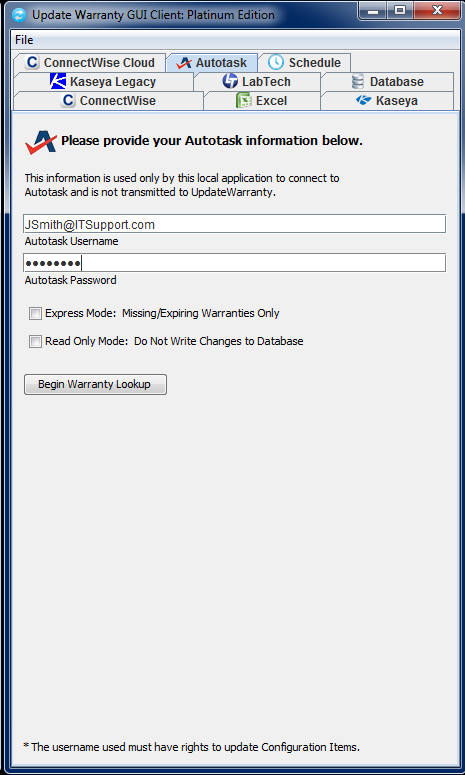
 Autotask,
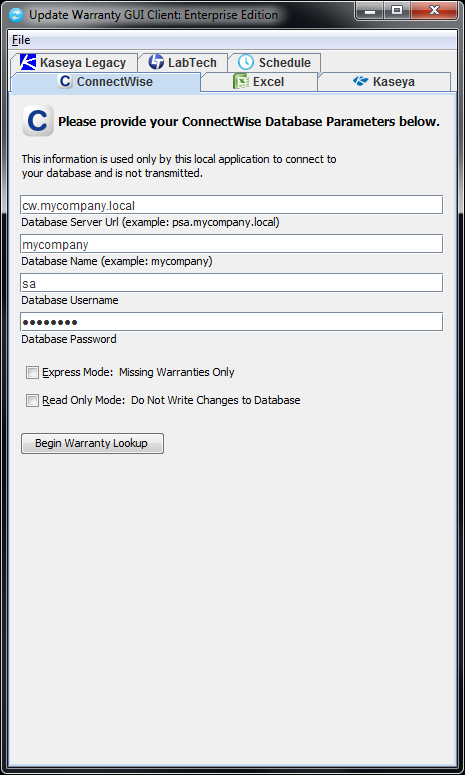
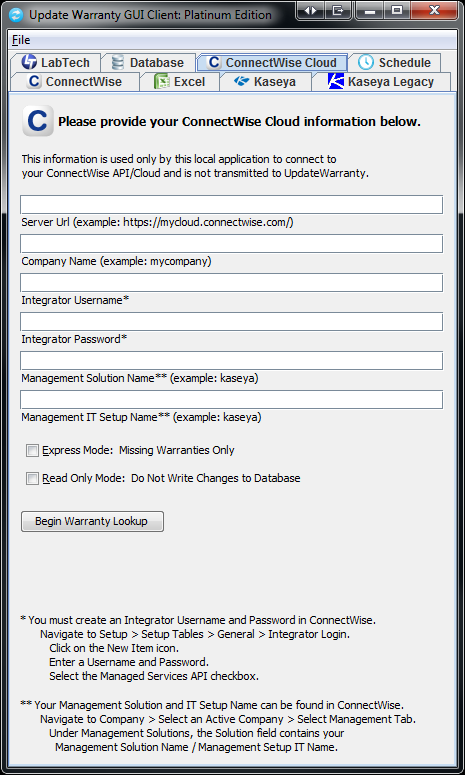
 ConnectWise (On Premise and Cloud),
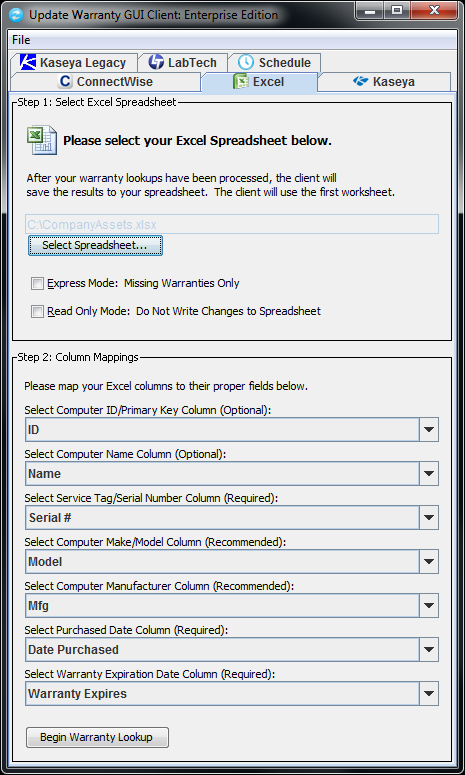
 Excel,
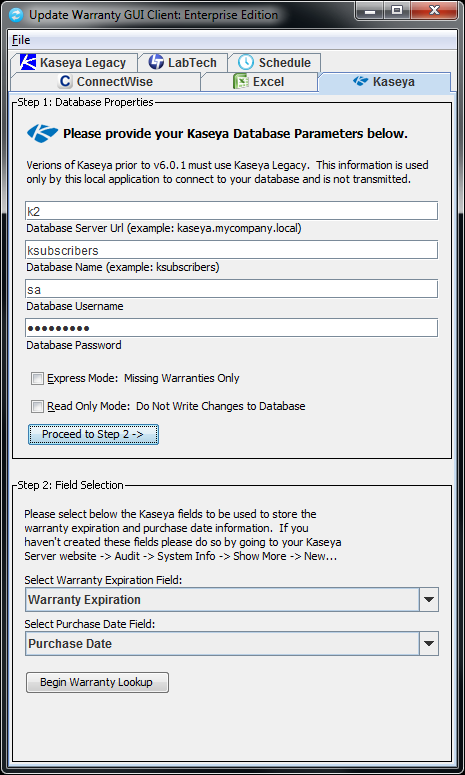
 Kaseya,
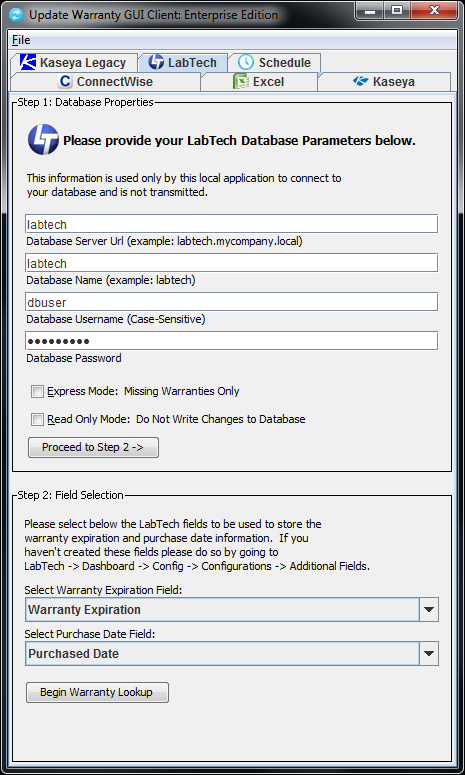
 LabTech,
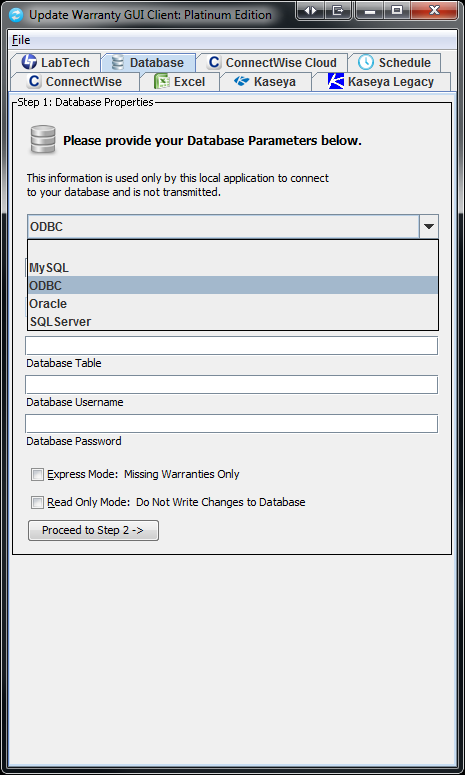
 MySQL,
 ODBC Accessible Databases (such as MS Access),
 Oracle
and
Oracle
and  SQL Server.
Latest Milestone: Now performing over three million warranty lookups a month!
IMPORTANT � READ CAREFULLY: BY DOWNLOADING, INSTALLING, AND/OR USING THE SOFTWARE (DEFINED BELOW), YOU (DEFINED BELOW) AGREE TO BE BOUND BY THE TERMS OF THIS AGREEMENT (DEFINED BELOW). IF YOU DO NOT AGREE TO THE TERMS OF THIS AGREEMENT, YOU MUST NOT DOWNLOAD, INSTALL, OR USE THE SOFTWARE, AND YOU MUST DELETE OR RETURN THE UNUSED SOFTWARE.
MSP DIRECT, INC.
END USER LICENSE AGREEMENT
This End User License Agreement (the �Agreement�) is hereby entered into and agreed upon by you, either an individual or an entity, and its Affiliates (�You� or �Company�) and MSP Direct, Inc. (�MSP�) for the Software (as defined below).
1. DEFINITIONS.
1.1 �Affiliates� means an entity controlled by, under common control with, or controlling such party, where control is denoted by having fifty percent (50%) or more of the voting power (or equivalent) of the applicable entity. Subject to the terms and conditions of this Agreement, Affiliates may use the license granted hereunder. All references to MSP shall be deemed to be references to MSP and its Affiliates, and all references to Company, You, or Your shall be deemed to be references to Company and its Affiliate(s).
1.2 "Computer" means the hardware, if the hardware is a single computer system, whether physical or virtual, or means the computer system with which the hardware operates, if the hardware is a computer system component.
1.3 �Documentation� means the user documentation provided by MSP to You on the use of the Software. For the avoidance of doubt, any installation guide or end user documentation not prepared or provided by MSP; any online community site; or feedback does not constitute Documentation.
1.4 �Paid End User� means either an individual or an entity that has paid the license fees or annual subscription fees to utilize the Software.
1.5 �Software� means the object code versions of the product, together with the updates, new releases or versions, modifications or enhancements, owned and provided by MSP to You pursuant to this Agreement.
2. GRANT OF LICENSE.
2.1 Production License. Upon payment of the fees applicable under this Agreement and continuous compliance with the terms and conditions of this Agreement, MSP hereby grants You a limited, nonexclusive, nontransferable license for the applicable term to use the Software and Documentation as long as You are a Paid End User.
For an on-premises solution from MSP,
a) For each Software license key that You purchase from MSP, You may: (i) use the Software on any single Computer, unless the Documentation clearly indicates otherwise; and (ii) copy the Software for back-up and archival purposes, provided any copy must contain all of the original Software's proprietary notices and a notice that it will not be used for transfer, distribution or sale.
b) The Software is in use on a Computer when it is loaded into temporary memory or installed in permanent memory (hard drive, CD-ROM or other storage device). You agree to use Your reasonable efforts to prevent and protect the contents of the Software and Documentation from unauthorized use or disclosure, with at least the same degree of care that You use to protect Your own confidential and proprietary information, but in no event less than a reasonable degree of care under the circumstances. You agree that You will register this Software only with MSP and that You will only install a Software license key obtained directly from MSP.
2.3 Software Evaluation License. If the Software is provided to You for evaluation purposes, MSP grants to You a nonexclusive, limited, royalty-free, nontransferable evaluation license to use the Software solely for evaluation prior to purchase (an �Evaluation License�). The Evaluation License shall terminate on the end date of the pre-determined evaluation period or immediately upon notice from MSP at its sole discretion. Notwithstanding any other provision contained herein, Software provided pursuant to an Evaluation License is provided to You �AS IS� without indemnification, support, or warranty of any kind, express or implied. Except to the extent such terms conflict with the specific Evaluation License terms set forth in this Section, all other terms of this End User License shall apply to Software licensed under an Evaluation License.
2.4 High Availability and/or Disaster Recovery Purpose License. If You are obtaining a redundant version of the Software solely for high availability and/or disaster recovery purposes for use on Your disaster recovery Computer, You represent and warrant that (i) You may actively run the redundant version of the Software on a Computer, provided it is not running on a primary production Computer, unless (a) the primary production Computer related to the primary production version of the Software fails, (b) the Software or Computer associated with the primary production license is being upgraded or replaced, or (c) other temporary reasons that disrupt all or a material part of Your business operations; (ii) You will not utilize the redundant version of the Software to monitor any items not being monitored by the primary production Computer; and (iii) You will promptly get the primary production Computer hosting the primary production license operating correctly in order to support Your daily activities.
3. LICENSE RESTRICTIONS.
3.1 You may not: (i) provide, make available to, or permit other individuals to use the Software or Documentation, except under the terms listed above, either in whole or part; (ii) modify, translate, reverse engineer, decompile, disassemble, create derivative works, or otherwise attempt to derive the source code based upon the Software or Documentation; (iii) copy, reproduce, republish, upload, post, or transmit the Software or Documentation (except for back-up or archival purposes, which will not be used for transfer, distribution, or sale); (iv) license, sell, rent, lease, transfer, sublicense, distribute, or otherwise transfer rights to the Software or Documentation; (v) remove any proprietary notices or labels on the Software or Documentation; or (vi) license the Software if You are a direct competitor of MSP for the purposes of monitoring the Software�s availability, performance, or functionality or for any other benchmarking or competitive purposes. Any such forbidden use shall immediately terminate Your license to the Software. The Software, including its monitoring, managing, recording, playback, and download features, are intended only for use with public domain or properly licensed third party materials. You might need a third party license to create, copy, download, record or save third-party media or content files for playback by this Software or to serve or distribute such files to be played back by the Software. All responsibility for obtaining such a license is Yours, and MSP shall not be responsible for Your failure to do so.
3.2 MSP Trademarks. You may not delete, remove, hide, move or alter any trademark, logo, icon, image or text that represents the company name of MSP, any derivation thereof, or any icon, image, or text that is likely to be confused with the same. All representations of the company name or mark �MSP� or any of its Affiliates� names or marks must remain as originally distributed regardless of the presence or absence of a trademark, copyright, or other intellectual property symbol or notice.
3.3 Export Restrictions. The Software and Documentation delivered to You under this Agreement are subject to U.S. export control laws and regulations and may also be subject to import and export laws of the jurisdiction in which it was obtained, if outside the U.S. You shall abide by all applicable export control laws, rules and regulations applicable to the Software and Documentation. You agree that You will not export, re-export, or transfer the Software or Documentation, in whole or in part, to any country, person, or entity subject to U.S. export restrictions. You specifically agree not to export, re-export, or transfer the Software or Documentation (i) to any country to which the U.S. has embargoed or restricted the export of goods or services, or to any national of any such country, wherever located, who intends to transmit or transport the products back to such country; (ii) to any person or entity who You know or have reason to know will utilize the Software or portion thereof in the design, development, production or use of nuclear, chemical or biological materials, facilities, or weapons; or (iii) to any person or entity who has been prohibited from participating in U.S. export transactions by any federal agency of the U.S. government.
3.4 Compliance with Applicable Laws. The Software and Documentation are protected by the intellectual property laws and other laws of the United States and international laws and treaties, including intellectual property laws. You agree that You shall use the Software and Documentation solely in a manner that complies with all applicable laws in the jurisdictions in which You use the Software and Documentation, including, but not limited to, applicable restrictions concerning copyright and other intellectual property rights.
4. RIGHTS RESERVED. THE SOFTWARE IS LICENSED, NOT SOLD. Use herein of the word �purchase� in conjunction with licenses, license keys, or the Software shall not imply a transfer of ownership. Unless as conveyed herein, this Agreement does not grant You any rights, title, or interest in or to Software, Documentation, trademarks, service marks, or trade secrets, or corresponding intellectual property (including without limitation any images, photographs, animations, video, audio, music, and text incorporated into the Software, the accompanying printed materials, and any copies of the Software) of MSP or its suppliers, and all rights, title, and interest in and to the Software, Documentation, and corresponding intellectual property shall remain the property of MSP, its suppliers, or are publicly available. All rights not expressly granted under this Agreement are reserved by MSP, its suppliers, or third parties. All title, rights, and interest in and to content, which may be accessed through the Software, is the property of the respective owner and may be protected by applicable intellectual property laws and treaties. This Agreement gives You no rights to such content, including use of the same. MSP agrees that the data and information (including without limitation, computer software, computer database, computer software documentation, specifications, design drawings, reports, blueprints, and the like) generated by the Software from Your proprietary data and information shall be and remain Your sole property.
5. DATA RIGHTS. You agree that MSP will collect and track technical and related information about You and Your use of the Software, which may include Your internet protocol address, hardware identifying information, operating system, application software, peripheral hardware, and Software usage statistics to assist with the necessary operation and function of the Software, the provision of updates, support, invoicing, marketing by MSP or its agents, and research and development. As a reminder, MSP Privacy Policy can be found here (http://www.MSP.com/privacy), and MSP may update its Privacy Policy from time to time.
6. LIMITED WARRANTY. MSP warrants to You that for a period of thirty (30) days following the initial purchase and delivery of the Software to You that the Software will perform substantially in conformance with the Documentation. MSP does not warrant that the Software will meet all of Your requirements or that the use of the Software will be uninterrupted or error-free. The foregoing warranty applies only to failures in operation of the Software that are reproducible in standalone form and does not apply to: (i) Software that is modified or altered by You or any third party that is not authorized by MSP; (ii) Software that is otherwise operated in violation of this Agreement or other than in accordance with the Documentation; or (iii) failures that are caused by other software or hardware products. To the maximum extent permitted under applicable law, as MSP�s and its suppliers� entire liability, and as Your exclusive remedy for any breach of the foregoing warranty, MSP will, at its sole option and expense, promptly repair or replace any Software that fails to meet this limited warranty or, if MSP is unable to repair or replace the Software, refund to You the applicable license fees paid upon return, if applicable, of the nonconforming item to MSP. The warranty is void if failure of the Software has resulted from accident, abuse, or misapplication. Any replacement Software under this limited warranty will be warranted for thirty (30) days.
EXCEPT AS EXPRESSLY STATED IN THIS SECTION, TO THE MAXIMUM EXTENT PERMITTED UNDER APPLICABLE LAW, MSP IS PROVIDING AND LICENSING THE SOFTWARE TO YOU "AS IS" WITHOUT WARRANTY OF ANY KIND, EITHER EXPRESS OR IMPLIED, INCLUDING, BUT NOT LIMITED TO, THE IMPLIED WARRANTIES OF MERCHANTABILITY, TITLE, NON-INFRINGEMENT, AND FITNESS FOR A PARTICULAR PURPOSE.
7. INTELLECTUAL PROPERTY INDEMNIFICATION. MSP will indemnify and hold You harmless from any third party claim brought against You that the Software, as provided by MSP to You under this Agreement and used within the scope of this Agreement, infringes or misappropriates any U.S. patent, copyright, trademark, trade secret, or other intellectual property rights of a third party, provided (i) use of the Software by You is in conformity with the Agreement and Documentation; (ii) the infringement is not caused by modification or alteration of the Software or Documentation; and/or (iii) the infringement was not caused by a combination or use of the Software with products not supplied by MSP. MSP�s indemnification obligations are contingent upon You: (i) promptly notifying MSP in writing of the claim; (ii) granting MSP sole control of the selection of counsel, defense, and settlement of the claim; and (iii) providing MSP with reasonable assistance, information and authority required for the defense and settlement of the claim. This Section states MSP�s entire liability (and shall be Company�s sole and exclusive remedy) with respect to indemnification to Company.
8. LIMITATION OF LIABILITY. TO THE MAXIMUM EXTENT PERMITTED BY APPLICABLE LAW, IN NO EVENT WILL MSP, ITS DIRECTORS, OFFICERS, AGENTS, SUPPLIERS AND LICENSORS, BE LIABLE TO YOU (WHETHER IN CONTRACT, TORT (INCLUDING NEGLIGENCE) OR OTHERWISE) (I) FOR MORE THAN THE AMOUNT OF LICENSE FEES THAT YOU HAVE PAID TO MSP IN THE PRECEDING (12) TWELVE MONTHS FOR THE APPLICABLE SOFTWARE OR (II) FOR ANY INDIRECT, INCIDENTAL, CONSEQUENTIAL, SPECIAL, PUNITIVE,OR EXEMPLARY DAMAGES, INCLUDING WITHOUT LIMITATION LOST PROFITS, LOST BUSINESS OPPORTUNITIES, LOSS OF USE OF THE SERVICE OFFERING, LOSS OF GOODWILL, BUSINESS INTERRUPTION, LOSS OF DATA, LOST SAVINGS, OR OTHER ECONOMIC DAMAGE, ARISING OUT OF THIS AGREEMENT OR THE USE OR INABILITY TO USE THE SOFTWARE OR DOCUMENTATION, EVEN IF MSP OR A DEALER AUTHORIZED BY MSP HAD BEEN ADVISED OF THE POSSIBILITY OF SUCH DAMAGES.
9. Third Party Programs. To the extent the Software is bundled with third party software programs; these third party software programs are governed by their own license terms, which may include open source or free software licenses. Nothing in this Agreement limits an end user�s rights under, or grants the end user rights that supersede, the terms of any such third party software.
10. CHOICE OF LAW AND VENUE. This Agreement shall be governed by the laws of the State of Texas and of the United States, without regard to any conflict of laws provisions, except that the United Nations Convention on the International Sale of Goods shall not apply. The parties agree that the provisions of the Uniform Computer Information Transactions Act shall not apply to this Agreement. You hereby consent to jurisdiction of the courts of both the state or federal courts of Texas.
11. COUNTERPARTS AND FACSIMILE SIGNATURE. This Agreement may be executed in counterparts, each of which shall be deemed an original and all of which shall constitute one and the same instrument. The Parties may exchange signature pages by facsimile and such signatures shall be effective to bind the Parties.
12. COMPLETE AGREEMENT. This Agreement constitutes the entire agreement between the Parties and supersedes all prior or contemporaneous communications, agreements and understandings, written or oral, with respect to the subject matter hereof including without limitation the terms of any party or any purchase order issued in connection with this Agreement. If any provision of this Agreement is held to be unenforceable, that shall not affect the enforceability of the remaining provisions. This Agreement shall not be amended or modified except in a writing signed by authorized representatives of each party.
13. RESTRICTED RIGHTS. MSP's Software is provided to non-DOD agencies with RESTRICTED RIGHTS and its supporting documentation is provided with LIMITED RIGHTS. Use, duplication, or disclosure by the government is subject to the restrictions as set forth in subparagraph "C" of the Commercial Computer Software � Restricted Rights clause at FAR 52.227-19. In the event the sale is to a DOD agency, the government's rights in software, supporting documentation, and technical data are governed by the restrictions in the Technical Data Commercial Items clause at DFARS 252.227-7015 and DFARS 227.7202. Manufacturer is MSP Direct, Inc., 100 King Street West, Suite 5700, Toronto, ON M5x 1C7, Canada.
MAY 4, 2012 - We are currently experiencing difficulties with HP's Warranty Support. We are working with HP on this issue and hope to have it resolved by early next week. All other vendors are working properly at this time.
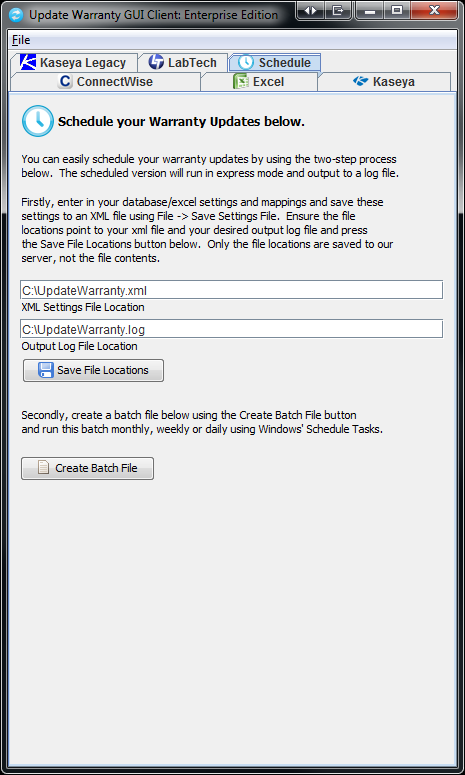
Demo Video & Screenshots
[Version 4.9.7; Released Date: 2015/10/6]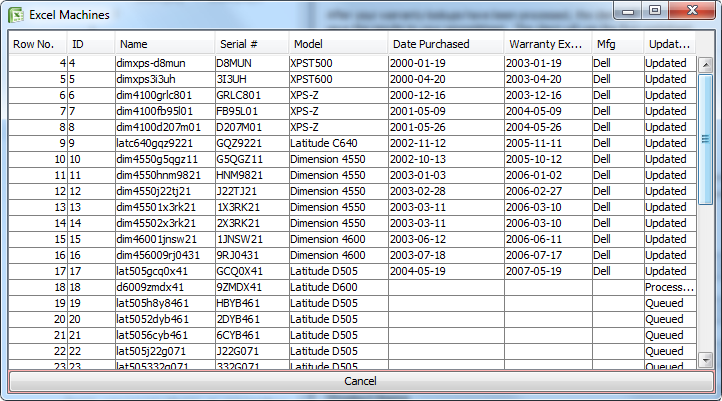 |
 |
 |
 |
 |
 |
 |
 |
 |